01
Single face swap
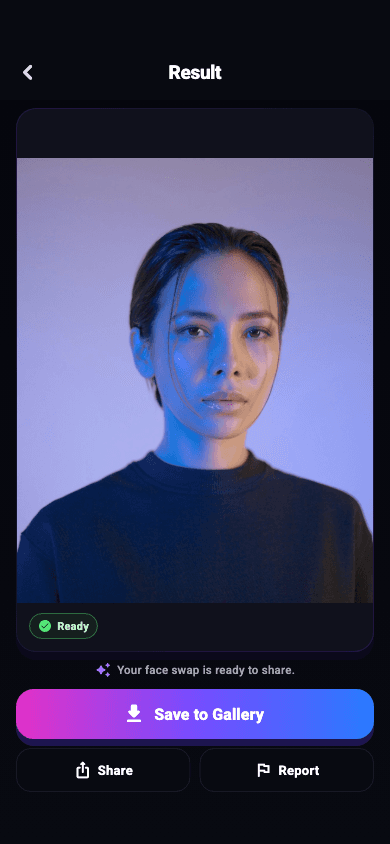
Choose one source face and one target photo. FaceEnjoy checks that both images contain usable faces, prepares the local engine when needed, and takes you to a dedicated result preview.
 FaceEnjoy
FEATURES
FaceEnjoy focuses on a complete mobile face-swap flow: choose, detect, map, create, preview, save, and share.

Choose one source face and one target photo. FaceEnjoy checks that both images contain usable faces, prepares the local engine when needed, and takes you to a dedicated result preview.
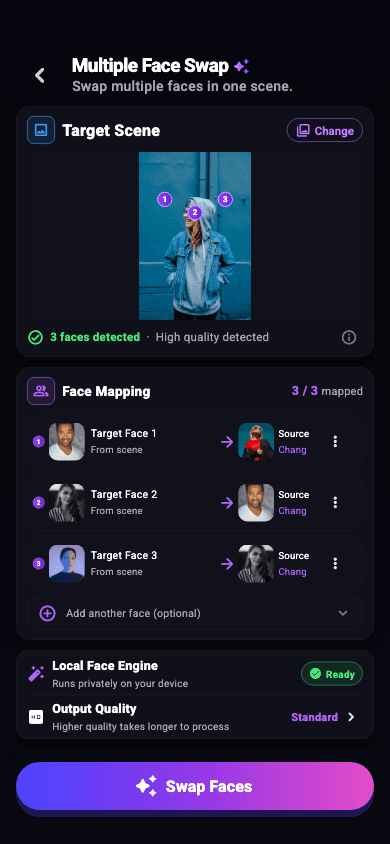
Select a group scene, detect the complete faces, and assign a separate source image to each numbered target. You can change or remove mappings before creating.
Face detection and face-swap composition use the mobile platform and bundled native technology. First use may need an internet connection to download model files.
Start with cinematic portrait, black and white, fashion, couple, or group directions. The current catalog is bundled static content—not a live cloud library.
Open a dedicated result screen, save to the system photo library, or use the operating system share sheet.
TASK-BASED GUIDES
Explore focused guides for single portraits, group photos, choosing better source images, and troubleshooting face detection.
See how FaceEnjoy swaps one source face into a target photo. Learn which photos work best, then preview and choose whether to save or share.
Learn more02MULTIPLE FACE SWAPLearn how FaceEnjoy detects faces in a group photo, maps a different source to each person, and composes the selected swaps on your device.
Learn more03FACE SWAP GUIDELearn how to choose photos for a face swap, troubleshoot missed faces in group shots, and inspect edges, lighting, and face mappings in the result.
Learn more